
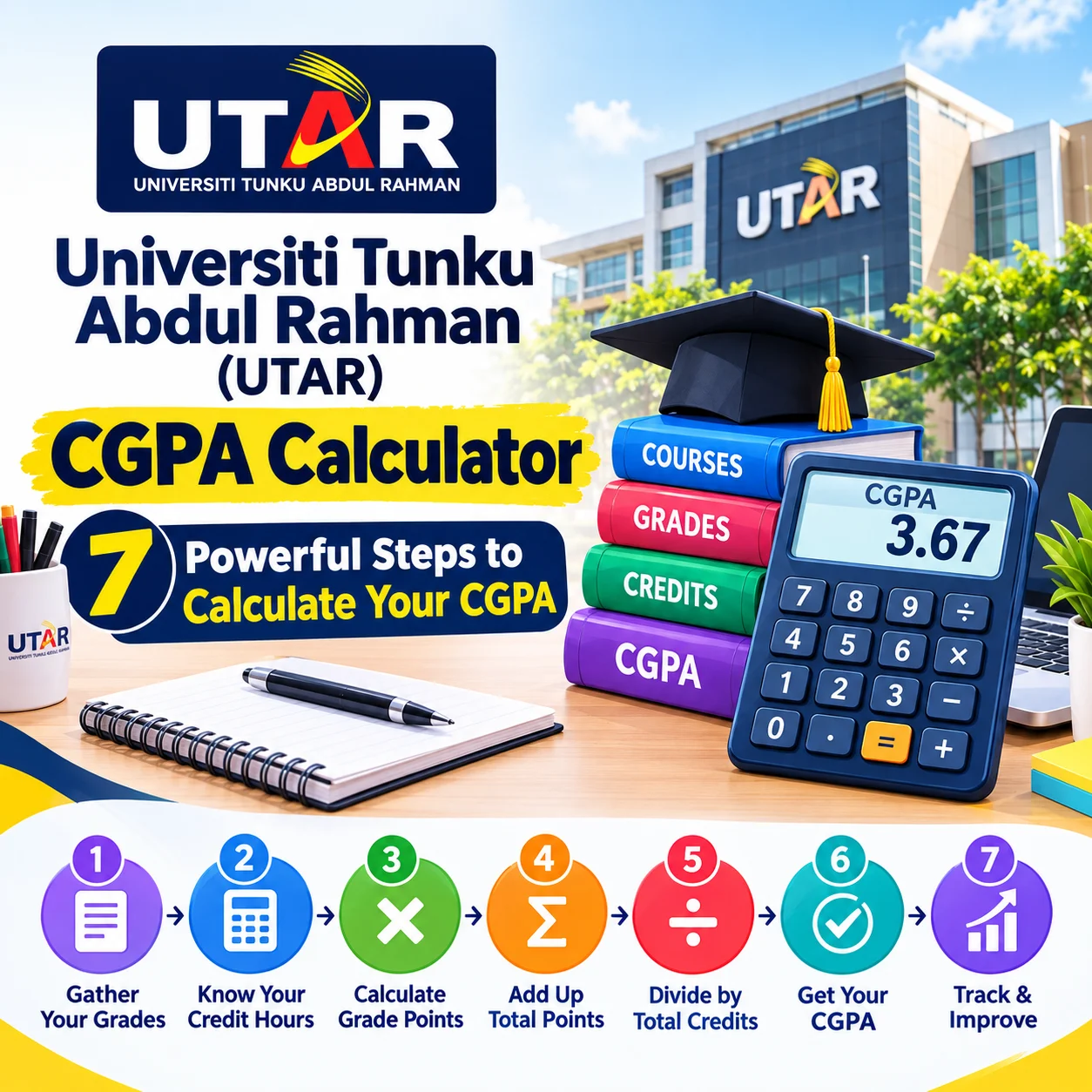
What Is the Universiti Tunku Abdul Rahman (UTAR) CGPA Calculator?
The Universiti Tunku Abdul Rahman (UTAR) CGPA Calculator helps students estimate their cumulative grade point average by combining grade points with the credit hours of their courses. UTAR officially defines CGPA using total quality points divided by the total applicable credit hours across the relevant trimesters or semesters.
This calculator is useful when you want to check your academic progress, estimate a new CGPA after a trimester, or understand how individual course results affect your overall academic record.
Why Do Students Use a UTAR CGPA Calculator?
Students often calculate CGPA before making important academic decisions. A small change in one course can affect the cumulative result differently depending on that course's credit hours.
A calculator makes this process easier because it applies the weighted calculation instead of simply averaging the grades.
It can be particularly useful before checking scholarship requirements, reviewing academic progress, planning future semesters, or discussing your results with an academic adviser.
What Does CGPA Mean at UTAR?
CGPA stands for Cumulative Grade Point Average. Unlike a single-trimester GPA, CGPA considers applicable courses across the student's accumulated academic record.
UTAR explains that CGPA is calculated by dividing the sum of quality points earned by the sum of applicable credits attempted across the relevant trimesters or semesters.
This means a three-credit course generally has a greater mathematical effect on the calculation than a one-credit course when the courses are included in the calculation.
How Does the UTAR CGPA Calculation Work?
The UTAR CGPA calculation is based on quality points and applicable credit hours. The basic principle is simple: multiply each course's grade point by its credit hours, add the resulting quality points, and divide by the applicable total credit hours.
What Is a Quality Point?
A quality point is the grade point earned for a course multiplied by the credit hours assigned to that course.
For example, suppose a student receives a grade point of 3.67 in a three-credit course:
3.67 × 3 = 11.01 quality points
The same process is repeated for every applicable course.
What Is the CGPA Formula?
The general formula can be represented as:
CGPA = Total Quality Points ÷ Total Applicable Credit Hours
For example, if the applicable courses produce 54 quality points from 15 credit hours:
CGPA = 54 ÷ 15 = 3.6000
UTAR provides this type of calculation in its official GPA and CGPA guidance and illustrates a GPA calculation using 54 quality points divided by 15 credit hours to produce 3.6000.
GPA vs CGPA: What Is the Difference?
GPA normally represents academic performance for a particular trimester or semester, while CGPA represents cumulative performance across the applicable academic periods.
| Measure | Meaning | Main Use |
|---|---|---|
| GPA | Grade Point Average | Measures performance for a particular academic period |
| CGPA | Cumulative Grade Point Average | Measures cumulative academic performance |
| Quality Point | Grade point × credit hours | Used in GPA/CGPA calculations |
| Credit Hours | Weight assigned to a course | Determines how strongly a course affects the calculation |
Understanding this distinction is important because a strong trimester GPA does not automatically mean the same numerical value will become your CGPA.
How to Use the UTAR CGPA Calculator?
The easiest way to use the calculator is to enter the applicable course information accurately, including grades and credit hours.
Step 1: Gather Your Latest Results
Before using the calculator, collect your UTAR results or academic record.
You may need:
- Course names or course codes
- Grades received
- Grade points
- Credit hours
- Previous CGPA, if the calculator asks for it
- Previous applicable credit hours, if required
Your official academic record should always be treated as the primary source when checking your final CGPA.
Step 2: Enter Your Previous CGPA When Required
If you are calculating an updated cumulative result rather than calculating a CGPA from scratch, enter your existing CGPA where requested.
You may also need your previously accumulated applicable credit hours.
This information allows the calculator to combine your earlier academic performance with your new results.
Step 3: Enter Each Course Grade
Enter the grade received for every applicable course.
Do not enter a grade based on an approximate percentage unless your official grading rules specifically allow you to convert it that way.
For the most reliable result, use the grade or grade point shown in your official academic information.
Step 4: Enter the Credit Hours
Enter the correct credit hours for each applicable course.
This step is particularly important because CGPA is weighted by credit hours. Two courses with different credit values do not necessarily have the same effect on the cumulative calculation.
For example, a three-credit course contributes three times the weight of a one-credit course when both are included in the calculation and have comparable grade-point treatment.
Step 5: Review the Quality Points
The calculator should use the grade point and credit hours to determine the quality points for each course.
The calculation follows the basic principle:
Grade Point × Credit Hours = Quality Points
Review the entries before continuing. An incorrect credit-hour value can produce a different final CGPA even when every grade is correct.
Step 6: Check the Calculated CGPA
After entering the required information, review the calculated CGPA.
You can use the result as an estimate for planning and academic review. However, your official transcript or university-issued result remains the authoritative record of your academic standing.
Step 7: Compare the Result With Your Academic Goal
Once you know your estimated CGPA, compare it with the academic requirement relevant to your situation.
For example, you may be checking a scholarship requirement, preparing for further study, or monitoring your progress toward a personal academic target.
Do not assume that one CGPA threshold applies to every scholarship, programme, employer, or postgraduate institution. Requirements can differ and may change.
Try the Calculator
Use the calculator below to estimate your UTAR CGPA based on the information available to you:
Which Courses Are Included in the UTAR CGPA?
Not every course or result necessarily contributes to GPA or CGPA. UTAR's official calculation guidance specifically identifies certain results and credit hours that do not contribute to GPA or CGPA.
Which Results Are Excluded?
According to UTAR's published calculation guidance, the following are excluded from GPA and CGPA calculations:
- Courses with a grade of PS
- Courses that are not completed and have a grade of P
- Exempted courses
These exclusions matter because manually including an excluded course can produce an incorrect estimate.
What About Credit Transfer?
Credit-transfer arrangements can have their own rules.
For example, a UTAR programme transfer document states that certain external credit transfers may transfer credit hours without transferring the previous grade into the UTAR GPA or CGPA calculation.
Because credit-transfer treatment can depend on the specific academic arrangement, students should confirm their individual case with UTAR rather than assuming that every transferred grade will affect CGPA.
What Grade Points Should You Enter?
The grade-point value should come from the applicable UTAR grading information for your programme and intake.
Why Should You Check Your Applicable Grading Scheme?
University grading information can vary by programme, academic regulations, and intake period.
UTAR materials for undergraduate students, for example, show a grading scheme in which A+ and A carry 4.0000 points, while A-, B+, B, B-, C+, C and F have progressively lower point values.
Because published documents can apply to particular cohorts or programmes, students should verify the grading scheme that applies to their own academic record before manually converting marks into grade points.
Example of a Weighted Calculation
Consider this simplified example:
| Course | Grade Point | Credit Hours | Quality Points |
|---|---|---|---|
| Course 1 | 4.00 | 3 | 12.00 |
| Course 2 | 3.33 | 3 | 9.99 |
| Course 3 | 3.00 | 2 | 6.00 |
| Course 4 | 3.67 | 3 | 11.01 |
| Total | — | 11 | 39.00 |
The estimated GPA would therefore be:
39.00 ÷ 11 = 3.5455
This example demonstrates the method only. Your actual UTAR result should be calculated using the applicable official grade points and course credits.
What Are the Most Common CGPA Calculation Mistakes?
The most common errors happen when students enter incorrect credit hours, include excluded courses, or use the wrong grade-point scale.
Mistake 1: Treating Every Course Equally
A common mistake is adding grade points together and dividing by the number of subjects.
That approach ignores credit-hour weighting.
A three-credit course and a one-credit course do not have the same weight in a weighted GPA or CGPA calculation.
Mistake 2: Including Excluded Courses
Students sometimes enter every course appearing on a result statement.
However, UTAR states that courses with PS, certain incomplete P results, and exempted courses do not contribute to GPA or CGPA.
Check the applicable rules before adding these results.
Mistake 3: Using an Unofficial Grading Scale
Another mistake is copying a grade-point conversion from another university.
A grading scale used by another Malaysian university may not apply to UTAR.
Use the applicable UTAR academic information instead.
Mistake 4: Confusing GPA With CGPA
A student might receive a 3.70 GPA for one trimester and assume the cumulative CGPA must also become 3.70.
That is not necessarily the case.
CGPA combines applicable accumulated performance, so previous credit hours and quality points continue to influence the result.
Mistake 5: Rounding Too Early
Rounding individual calculations too early can create small differences in the final result.
Where possible, retain the precision used by your official academic calculation and round only the final displayed result.
How Can You Improve Your CGPA Over Time?
Improving CGPA is a cumulative process rather than a single-exam strategy.
Focus on High-Impact Courses
Credit hours matter.
When planning your study time, pay attention to courses carrying more credits because their results can have a greater mathematical influence on your cumulative average.
This does not mean ignoring lower-credit courses. It means understanding how your academic workload is weighted.
Monitor Your GPA Every Trimester
Checking your GPA after each academic period can help you identify changes before they become difficult to manage.
A simple record of grades, credit hours, GPA and CGPA can make your progress easier to understand.
Review Weak Subjects Early
If one subject is affecting your academic progress, identify the problem early.
Possible causes include difficult course material, poor time management, assessment mistakes, attendance problems, or an overloaded study schedule.
The appropriate response depends on the actual cause.
Use Academic Support
If you are struggling academically, consider discussing the issue with your lecturer, faculty, academic adviser, or another appropriate university support service.
A CGPA calculator shows the mathematical result. It does not explain why your performance changed or which academic intervention is appropriate.
Can CGPA Affect Scholarships?
CGPA can be one part of scholarship eligibility, but requirements depend on the specific scholarship.
UTAR's scholarship information demonstrates that academic criteria can vary between awards and programmes. For example, UTAR's published undergraduate scholarship criteria include specific CGPA thresholds for certain foundation, matriculation, or diploma pathways.
External scholarships can also establish their own academic, financial, citizenship, programme, or extracurricular requirements.
Why Should You Check the Official Scholarship Rules?
A calculator cannot determine scholarship eligibility by itself.
A student may meet a stated CGPA requirement but still need to satisfy other conditions such as citizenship, household income, programme eligibility, application deadlines, or documentation requirements.
Always read the current scholarship terms before applying.
What Should You Do After Calculating Your CGPA?
Your calculated CGPA is most useful when you connect it to a specific academic goal.
If You Are Checking Scholarship Eligibility
Find the scholarship's current official eligibility requirements and compare your official academic result with them.
Do not rely on an old scholarship page, social-media post, or unofficial list if the award's current requirements are available from the scholarship provider.
If You Are Planning Further Study
Check the entry requirements of the specific institution and programme.
Different universities can use different admissions criteria, so your UTAR CGPA should be considered alongside the exact requirements of the programme you want to enter.
If You Are Monitoring Academic Progress
Keep a simple academic record after every trimester.
Recording your GPA, CGPA, credit hours and completed courses can help you understand your progress without having to reconstruct several semesters of information later.
What Are Useful Tips for Getting an Accurate CGPA Result?
Accuracy starts with accurate academic data.
Use Your Official Results
Enter information from your official UTAR academic record whenever possible.
Avoid estimating grades from memory, particularly when you are checking an important scholarship or academic requirement.
Double-Check Credit Hours
Before calculating, compare every course's credit value with your official academic information.
Credit-hour errors are easy to overlook and can materially affect a weighted calculation.
Keep a Copy of Your Calculation
If you are using the calculator for planning, keep your course list and inputs.
This makes it easier to review your calculation later or identify the source of a difference between an estimate and an official result.
Verify Important Decisions With UTAR
If the result affects graduation planning, scholarship decisions, academic status, credit transfer, or another important university matter, confirm the information with the appropriate UTAR office or faculty.
The calculator is a planning tool, not a replacement for an official academic record.
Read more: UCAS Tariff Points Calculator UK : 7 Powerful Steps to Calculate Your Points
Frequently Asked Questions About the UTAR CGPA Calculator
How is CGPA calculated at UTAR?
UTAR calculates CGPA by dividing the total quality points earned by the total applicable credit hours attempted across the relevant trimesters or semesters. Quality points are calculated by multiplying the grade point for a course by its applicable credit hours. Certain courses, including PS, certain incomplete P results, and exempted courses, are excluded from the calculation.
What is the difference between UTAR GPA and CGPA?
GPA measures academic performance for a particular trimester or semester, while CGPA measures cumulative academic performance across applicable academic periods. GPA uses the applicable courses in that period, whereas CGPA incorporates the applicable accumulated quality points and credit hours from the relevant previous periods as well.
Can I use the calculator to predict my final university result?
You can use a CGPA calculator to estimate the mathematical outcome based on the grades and credit hours you enter. However, it should not be treated as an official prediction of your final university result. Your official academic record issued by UTAR remains the authoritative source.
Why is my calculated CGPA different from my official CGPA?
A difference can occur if you entered an incorrect grade point, credit-hour value, previous CGPA, or included a course that does not contribute to the calculation. UTAR also has specific exclusions for certain courses and results. Review your inputs against your official academic information before drawing conclusions.
Does a higher-credit course have a bigger effect on CGPA?
Yes. In a weighted CGPA calculation, the course's grade point is multiplied by its credit hours. Therefore, an applicable three-credit course contributes more quality points than an otherwise identical one-credit course. This is why entering the correct credit hours is essential.
Final Thoughts: Use the Calculator as Your Academic Planning Tool
The Universiti Tunku Abdul Rahman (UTAR) CGPA Calculator provides a practical way to understand how grades and credit hours combine to produce a cumulative academic average.
The most important principle is simple: CGPA is weighted by applicable credit hours, not calculated by simply averaging course grades.
Start by collecting your official results, enter the correct grades and credit hours, check excluded courses, and review the final calculation carefully.
If your CGPA is being used for a scholarship, transfer, postgraduate application, or another important decision, compare it with the current official requirements rather than relying on the calculator alone.
Author Information
Author: Ashes Jhon
Reviewed by: [Name/Role Placeholder]
Reviewed for accuracy by an education professional specializing in scholarships and academic guidance.
Last Updated
Last Updated: September 2026
Requirements, deadlines, grading rules, scholarship criteria, and eligibility conditions may change. Always confirm the latest information from the official UTAR source before making important academic or application decisions.
Disclaimer: Information provided in this article is for educational purposes only and should be verified with the official organization before making application decisions.
Disclosure: This website may earn revenue through advertising or affiliate partnerships. This does not influence our recommendations.







0 Comments