
What Is the UMT CGPA Calculator?
The UMT CGPA Calculator helps students calculate their semester GPA and cumulative grade point average using credit hours, grades, and grade points. It is especially useful when you want to understand your academic standing without doing repeated calculations by hand.
UMT’s Office of the Controller of Examinations provides an official CGPA calculator and explains that CGPA is calculated from grade points and credit hours accumulated across semesters.
For students at UMT, knowing how CGPA works can make academic planning much easier. You can use a calculator to check a current semester, combine previous academic results, or estimate how a new semester could affect your cumulative performance.
Why Do Students Need a CGPA Calculator?
CGPA can be difficult to calculate manually because every course may have a different number of credit hours. A three-credit-hour course should not have the same effect on your academic average as a one-credit-hour course.
A calculator handles this weighting automatically. It can reduce arithmetic mistakes and help you focus on the more important question: how are your courses affecting your overall academic record?
What Does CGPA Mean?
CGPA means Cumulative Grade Point Average. It represents your average grade-point performance across the courses and semesters included in the calculation.
UMT CGPA calculator explains that the grade points for courses are multiplied by their credit hours, and the resulting total is divided by the relevant total credit hours.
In simple terms:
CGPA = Total Grade Points Earned ÷ Total Credit Hours
The phrase “grade points earned” refers to the credit-hour-weighted grade points, not simply the number of courses you have completed.
How Does the UMT Grading System Work?
UMT currently lists a 4.00-point grading scale for undergraduate and graduate degree programs. The university also states that it uses a relative grading scheme.
UMT Grade Points
The currently published UMT grading table includes the following grade-point values:
| Letter Grade | Grade Point |
|---|---|
| A+ / A | 4.0 |
| A- | 3.7 |
| B+ | 3.3 |
| B | 3.0 |
| B- | 2.7 |
| C+ | 2.3 |
| C | 2.0 |
| C- | 1.7 |
| F | 0.0 |
| P | — |
| I | — |
| W | — |
| SA | — |
| S | — |
| NC | — |
UMT's official assessment page identifies these as the current grade points for undergraduate and graduate degree programs.
What Is Relative Grading?
Relative grading means grades can be determined in relation to the performance of students in the class. UMT states that different methods can be used within its relative grading system, including a normal or bell-shaped curve, distribution-gap method, and standard deviation.
This matters because a student's raw percentage does not necessarily tell the complete story of how the final letter grade is assigned.
Why Credit Hours Matter
Credit hours determine how strongly a course contributes to GPA or CGPA.
For example, suppose you earn 4.0 in a three-credit-hour course and 3.0 in a one-credit-hour course. The first course has a greater effect because it carries more academic weight.
This is why simply adding grades and dividing by the number of subjects can produce an incorrect result.
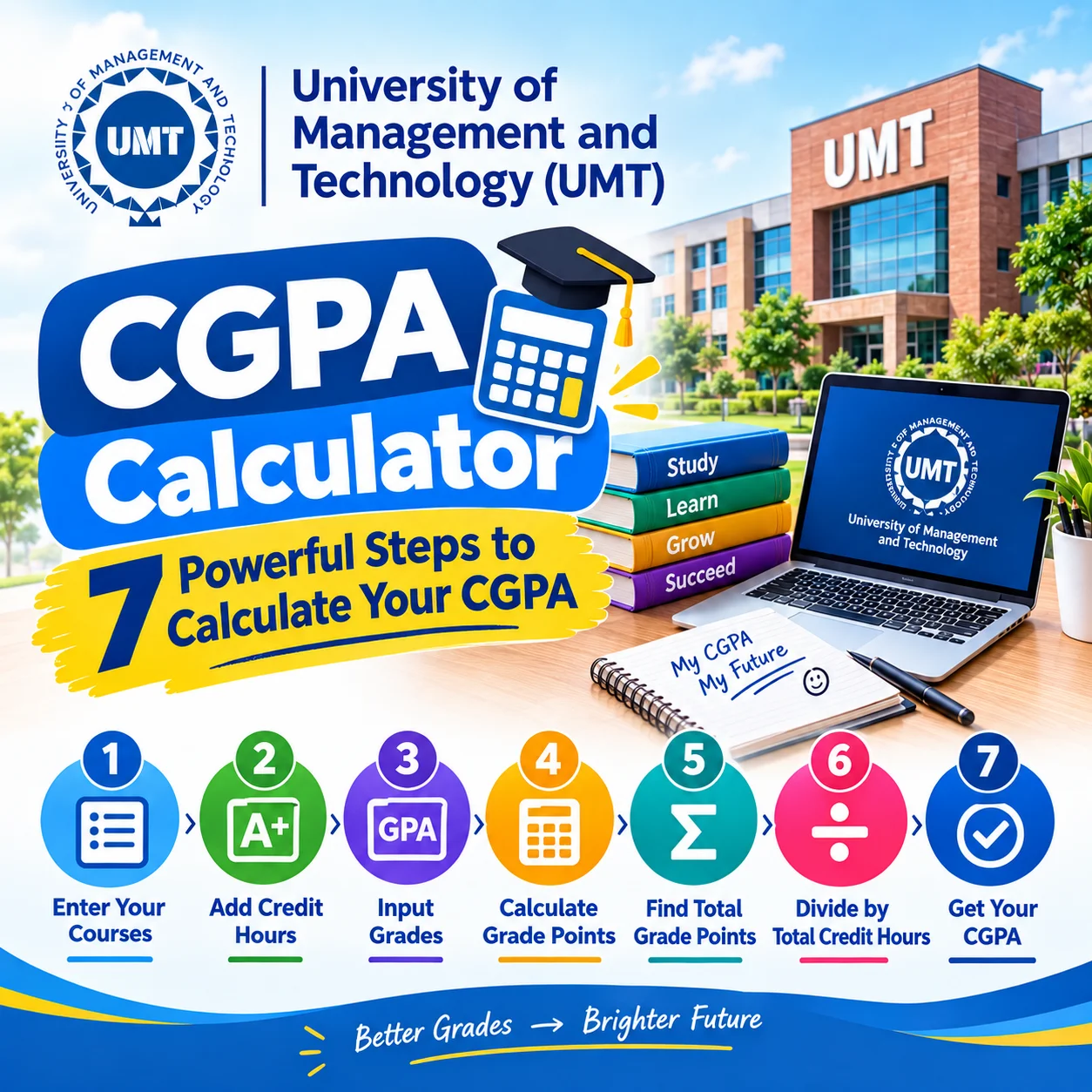
How to Use This Calculator?
The easiest way to use the calculator is to enter each course's credit hours and corresponding grade, then allow the calculator to calculate the semester result.
Step 1: Collect Your Course Information
Before starting, gather your latest transcript, result card, or official course information.
For each course, identify:
- Course name
- Credit hours
- Final letter grade
- Relevant grade point
If your transcript uses information that does not match the calculator's available options, check the official UMT academic record before entering anything.
Step 2: Enter the Credit Hours
Enter the credit hours for each course.
For example:
| Course | Credit Hours |
|---|---|
| Course A | 3 |
| Course B | 3 |
| Course C | 3 |
| Course D | 2 |
The calculator uses these values to give each course the appropriate weight.
Step 3: Select the Grade
Choose the final grade received in each course.
For example, a student might have:
- Course A: A
- Course B: B+
- Course C: B
- Course D: A-
The calculator then associates each letter grade with the corresponding UMT grade point.
Step 4: Check the Semester GPA
After entering the semester courses, calculate the semester result.
UMT describes GPA as the semester-level measure obtained by multiplying grade points by credit hours, adding the resulting values, and dividing by total semester credit hours.
Step 5: Add Previous Semester Information
If you want to calculate your cumulative result instead of only the current semester, you need information from previous semesters.
UMT's official calculator specifically asks users to provide previous semesters' total credit hours and total grade points when combining the current semester with earlier results.
Step 6: Review the CGPA
After adding the required previous academic information, calculate your cumulative result.
The resulting figure represents your weighted academic average across the credit hours included in the calculation.
Step 7: Compare the Result With Your Academic Goal
The final step is interpretation.
If your objective is graduation, scholarship eligibility, admission to another program, or another academic requirement, do not assume that one universal CGPA threshold applies.
Check the specific official requirement for the program, scholarship, university, or organization involved.
What Information Do You Need Before Calculating CGPA?
You generally need accurate academic information rather than personal documents.
Information for a Current Semester
For a semester calculation, prepare:
- Course credit hours
- Final grades
- Grade points
- Total semester credit hours
The official UMT calculator is designed around credit hours, grades, and grade points.
Information for a Cumulative Calculation
For a cumulative calculation, you also need:
- Previous semesters' applicable credit hours
- Previous semesters' total grade points
- Current semester credit hours
- Current semester grade points
This distinction is important. A semester GPA and cumulative CGPA answer different academic questions.
What If You Have an F Grade?
Do not automatically remove an F from your calculation.
UMT's official calculator instructions specifically refer to previous semesters' total credit hours including an F grade if not repeated.
Academic rules concerning repeated courses can be more detailed, so students should confirm how their particular record is treated by UMT before making assumptions.
How Is CGPA Calculated Manually?
You can calculate CGPA manually using the weighted grade-point method.
The Basic Formula
The general calculation is:
CGPA = Σ (Credit Hours × Grade Points) ÷ Σ Credit Hours
Consider this illustrative example:
| Course | Credit Hours | Grade | Grade Point | Quality Points |
|---|---|---|---|---|
| Accounting | 3 | A | 4.0 | 12.0 |
| Management | 3 | B+ | 3.3 | 9.9 |
| Marketing | 3 | B | 3.0 | 9.0 |
| IT | 2 | A- | 3.7 | 7.4 |
| Total | 11 | 38.3 |
The illustrative semester GPA would therefore be:
38.3 ÷ 11 = 3.48
This example is for demonstrating the mathematics. It is not a prediction of an actual student's UMT result.
Why the Example Is Weighted
Notice that the three-credit-hour courses contribute more quality points than the two-credit-hour course.
That is the key idea behind a credit-hour-based GPA system.
What Is the Difference Between GPA and CGPA?
GPA usually describes performance for a particular semester, while CGPA combines academic performance across multiple semesters.
GPA
GPA answers:
“How did I perform during this semester?”
It considers the courses and credit hours belonging to that semester.
CGPA
CGPA answers:
“What is my cumulative academic performance so far?”
It incorporates the relevant courses and credit hours across semesters.
UMT's official FAQ describes GPA as a semester performance measure and CGPA as the cumulative average based on credit hours and grade points across semesters.
Why the Difference Matters
A strong semester may improve your CGPA, but the amount of improvement depends on how many credit hours you have already completed.
For a student near graduation, one semester generally has less influence on the cumulative result than it would have earlier in the degree.
What Are Common CGPA Calculation Mistakes?
Small input errors can produce a noticeably different result. Checking your data before calculating is therefore worthwhile.
Mistake 1: Treating Every Course Equally
A common error is to average grade points without considering credit hours.
A three-credit-hour course and a one-credit-hour course should not automatically receive equal weight.
Mistake 2: Entering the Wrong Grade Point
Make sure the selected grade corresponds to the grading scale being used by your program and academic record.
UMT currently publishes A+/A as 4.0, A- as 3.7, B+ as 3.3, B as 3.0, B- as 2.7, C+ as 2.3, C as 2.0, C- as 1.7, and F as 0.0 for undergraduate and graduate programs.
Mistake 3: Confusing Percentage With Grade Point
A percentage is not automatically the same thing as a grade point.
UMT explains that course marks are converted into letter grades, and the applicable grade points correspond to those grades.
Mistake 4: Ignoring Previous Semesters
A current semester GPA cannot simply be treated as the new cumulative CGPA.
For a cumulative calculation, previous academic credit hours and grade points need to be considered.
Mistake 5: Assuming the Calculator Replaces an Official Transcript
A calculator provides a mathematical estimate based on the information entered.
Your official transcript and university academic record remain the appropriate references for your formal CGPA.
Read more: Punjab University Merit Calculator : Powerful 5-Step Guide to Calculate Your Merit
How Can You Improve Your CGPA Over Time?
Improving CGPA is usually a cumulative process rather than a one-exam event.
Prioritize High-Credit Courses
A stronger result in a high-credit course can have a greater effect than the same improvement in a low-credit course.
Review your semester workload early and identify courses carrying substantial credit hours.
Monitor Your Grades During the Semester
Do not wait until final results to discover that your performance has declined.
Track quizzes, assignments, projects, midterms, and other assessment components throughout the semester.
UMT states that course evaluation can include assignments, projects, quizzes, class participation, attendance, presentations, midterm examinations, and end-term examinations, depending on the course and program.
Use Your Results for Academic Planning
After each semester, calculate your GPA and update your cumulative record.
This creates a simple academic feedback loop: study → assess → calculate → identify weak areas → adjust → repeat.
The psychological benefit is also practical. A student who sees academic performance as a series of measurable steps may find it easier to identify a specific problem instead of feeling overwhelmed by a single cumulative number.
Does CGPA Affect Admission and Scholarships?
CGPA can be part of admission or scholarship criteria, but the exact requirement depends on the relevant program or organization.
Admission Requirements Can Differ
UMT's current admissions information shows that eligibility varies by program. Some programs list percentage requirements, while certain post-ADP and graduate programs specify CGPA thresholds.
For example, UMT's current admission criteria include program-specific academic requirements rather than one universal threshold for every applicant.
Scholarship Requirements Need Separate Verification
Do not assume that achieving a particular CGPA automatically guarantees a scholarship.
Scholarships can have separate eligibility, documentation, application, financial, merit, or continuing-performance requirements.
Always verify the latest rules with the official scholarship or university office before making an application decision.
What Should You Do If Your Calculated CGPA Looks Wrong?
First, check the input rather than immediately assuming that the formula is incorrect.
Check Your Credit Hours
Compare each entered credit hour with your transcript.
One incorrect course value can affect the weighted result.
Check Your Grades
Confirm that you entered the final official grade rather than an estimated class percentage.
Also check how repeated, incomplete, withdrawal, or non-credit courses are treated in your academic record.
Compare With Your Official Record
If your calculated number still differs from your official CGPA, contact the appropriate UMT academic or examination office.
UMT's Office of the Controller of Examinations is responsible for examination records and provides academic assessment support.
Frequently Asked Questions About UMT CGPA Calculation
What is the maximum CGPA at UMT?
UMT uses a 4.00-point grading scale in its currently published undergraduate and graduate grading scheme. The highest listed grade-point value is 4.0 for A+/A. Always check the current rules applicable to your specific academic program.
How is CGPA calculated at UMT?
CGPA is calculated using credit-hour-weighted grade points. The grade point for each course is multiplied by its credit hours, the resulting values are added, and the total is divided by the relevant total credit hours. UMT provides an official online calculator based on this approach.
Can I calculate CGPA using only my current semester grades?
You can calculate the semester GPA from your current semester courses, but a cumulative CGPA also requires the applicable information from previous semesters. UMT's official calculator asks for previous total credit hours and previous total grade points when calculating the cumulative result.
Does an F grade affect CGPA at UMT?
An F is currently assigned 0.0 grade points in UMT's published grading scheme. The official UMT calculator also instructs users to include an F in previous-semester credit hours when it has not been repeated. Treatment of repeated courses should be confirmed against the current academic rules.
Is an online calculator an official academic record?
No. A calculator is a mathematical tool that uses the information you provide. Your official transcript and university academic record should be used when a formal CGPA is required for graduation, admission, scholarship, employment, or another official purpose.
What Is the Best Next Step?
The most useful approach is simple: collect your official course grades and credit hours, enter them carefully into the calculator, and compare the result with your academic record.
Use the result as a planning tool rather than treating it as a replacement for your official transcript.
For admission, scholarships, graduation, or other formal academic decisions, always verify the latest requirements directly with UMT or the relevant organization.
Final Student Checklist
Before accepting your calculated result, confirm:
- Every course has the correct credit hours.
- Every course has the correct final grade.
- Grade points match the applicable UMT grading scale.
- Previous semesters are included for a cumulative calculation.
- Repeated, incomplete, withdrawal, or non-credit courses are treated correctly.
- The final result is compared with your official academic record.
Author, Review, and Important Information
Author: Ashes Jhon
Reviewed for accuracy: This article is structured around publicly available UMT academic and examination information. No invented professional credentials are claimed for the author or reviewer.
Last Updated: September 2026
Requirements, grading rules, admission criteria, deadlines, and eligibility policies may change. Always confirm the latest information from the official UMT source before making academic or application decisions.
Disclaimer: Information provided in this article is for educational purposes only and should be verified with the official organization before making application or academic decisions.
Disclosure: This website may earn revenue through advertising or affiliate partnerships. This does not influence our recommendations.







0 Comments